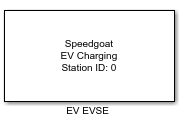
EV EVSE
EV EVSE — Configures one EVSE charging board via a
user interface that lets the user select signals from all charging states.
Library
Simulink Real-Time - Speedgoat
Description
This block configures one EV or EVSE charging board via a user interface. The
Setup block for the board and Read and Write blocks for all charging states are
automatically inserted based on the settings in the user interface.
Ports
Input and Output ports are dynamically allocated based on the selection of signals
in the user interface. For each input signal that is enabled – but not set constant
– and for each enabled output signal, a port is created.
Parameters
The global configuration parameters of the EV or EVSE charging board are set in
the panel on the left side. Signals from each charging state can be enabled as input
or output signal via tables in different tabs of the user interface.
Configure EV Charging Board
-
Board Type
Select either EV or EVSE, depending on which board is being used.
Currently there is no way to use an EV board for EVSE emulation or vice
versa.
-
Station ID
The Station ID is used to assign
Setup, Read and Write blocks to a particular MQTT client station.
Station IDs range between 0 to 65535 and must be unique along all Setup
blocks in a model. You can define multiple clients by placing a Setup
block with a unique Station ID for each client.
-
Connection ID
The Connection ID is used to assign
Publish and Subscribe blocks to a particular client-broker connection.
Connection IDs range between 0 to 65535 and must be unique along all
Connection blocks of the client (these blocks have the same Station
ID).
-
Client Identifier
The Client Identifier represents the
MQTT client in the local network and must be unique along all clients in
that network. The parameter is a character array with a length limit of
256.
-
Local IP Address
Enter the IP address of the MQTT client. This step does not assign the
IP address to an Ethernet interface; instead, it binds the Setup block
to an IP address, which was previously configured in the Ethernet
Configuration Tool. Refer to the MQTT usage notes for
further information.
-
Remote TCP Port
Enter the TCP port the remote MQTT broker is listening on for
connection requests. The default value is 1883.
-
Remote IP Address
Enter the IP address of the EV charging board. The default IP address
is configured to 169.254.12.53 and can
be changed using the Change IP
button.
-
Sample Time
Defines the base sample time at which data is exchanged with the EV
charging board. This parameter can also be set to -1 for inherited sample time. The units are in
seconds.
-
Ping Board
Send a network ping to the EV Charging Board from the host computer.
Both the Local IP Address and the
Remote IP Address must be set up
beforehand, and the real-time target machine must be connected and
powered on.
-
slrtExplorer
A shortcut to open the Simulink Real-Time explorer for target
configuration.
-
Ethernet Configuration
A shortcut to open the Speedgoat Ethernet Configuration Tool to
configure the IP addresses of the target machine's Ethernet
ports.
-
Edit JSON
This button loads the customer.json file from the EV Charging board
for editing. This file contains base configuration parameters of the EV
Charging board which can be adjusted.
-
Change IP
Change the IP address of the EV Charging board. The default IP address
169.254.12.53 will remain as a
static fallback IP address.
Signals by Charge State
-
Base Configuration
The setting of the constant Base Configuration parameters is mandatory
and cannot be disabled. Values can be edited directly in the
table.
-
Parameter Discovery
Select inputs and outputs enabled during the Parameter Discovery state
of the charge cycle. Enabled input signals can also be set to a constant
value.
-
Isolation
Select inputs and outputs enabled during the Isolation state of the
charge cycle. Enabled input signals can also be set to a constant
value.
-
Pre-Charge
Select inputs and outputs enabled during the Pre-Charge state of the
charge cycle. Enabled input signals can also be set to a constant
value.
-
Charging
Select inputs and outputs enabled during the Charging state of the
charge cycle. Enabled input signals can also be set to a constant
value.
-
Welding
Select inputs and outputs enabled during the Welding state of the
charge cycle. Enabled input signals can also be set to a constant
value.
-
Stop
Select inputs and outputs enabled during the Stop state of the charge
cycle. Enabled input signals can also be set to a constant value.