Cam and Crank - Crank Angle v4
Cam and Crank - Crank Angle v4 — The Crank Angle v4 code
module integrates the engine speed to obtain the crankshaft position of an
internal combustion engine.
Library
Simulink® Real-Time™ - Speedgoat
Description
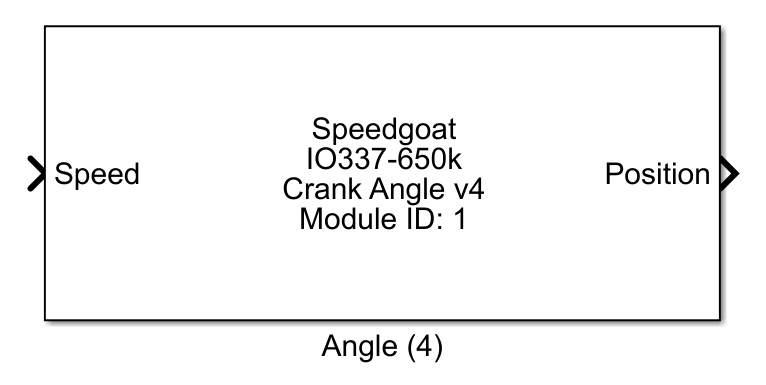
The Crank Angle v4 code module integrates the engine speed to obtain the
crankshaft position of an internal combustion engine. The shaft position between 0°
and 720° can be used by other code modules such as the Variable
Reluctance Sensor v4 or Events Capture
v4.
Ports
Inputs
-
Speed
The crankshaft speed in rpm (revolutions per minute). The input port
dimensions match the dimensions of the Channel
vector parameter. The accepted range is ± 91,552 rpm.
Outputs
-
Position
The Position output port provides the
crankshaft position from 0° to 720°. The output port dimensions match
the dimensions of the Channel vector
parameter.
Parameters
Tab: Module setup
-
Configurable I/O Module ID
This parameter associates a code module block with a configurable I/O module setup
block. Set this value to match the Module ID defined in the setup block of the
required configurable I/O module.
-
Channel Vector
A vector of Crank Angle channels that are addressed by this block
entity. Channels can be specified in the range 1 to N but must not exceed
the number of implemented channels in the selected configuration file in
the Setup block. The order
of channels can be freely defined. The same channel must not be used
more than once.
-
Sample Time
Defines the base sample time at which this driver block gets its sample hit. This
parameter can also be set to -1 for inherited
sample time. The units are in seconds.
Tab: Angle
-
Initial position vector
This vector defines the position of the crankshaft at the start of the
simulation. The position must be between 0° and 720°. A scalar value
applies to all channels addressed by this block entity. Use a vector to
set a different initial position per channel.
-
Initial speed vector
This vector defines the crankshaft angular velocity at the start of
the simulation in rpm (revolutions per minute). The accepted range is
± 91,552 rpm. A scalar value applies to all channels addressed by this
block entity. Use a vector to set a different initial speed per
channel.
Tab: Port configuration
-
Show position output
This checkbox enables the position output port.
-
Show speed input
This checkbox enables the speed input port. If the speed input port
is disabled, the Initial speed vector
applies during the simulation.