IO61X - LIN Read
IO61X - LIN Read — Read messages from the
LIN channel
Library
Simulink Real-Time - Speedgoat
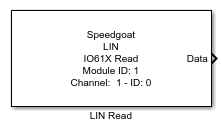
Description
This LIN Read driver block is part of the generic block library for the IO611,
IO612, IO613 and IO614 I/O modules.This block allows LIN messages to be received.
The message information (LIN version, ID, DLC) can be set in the block mask.
The buffer size is 20 messages per channel, so depending on the selected baud rate
and the "LIN Read" block sample times, it is important to not let the input buffer
overflow.
For each LIN message a single read block is required.
Ports
Outputs
-
State
Message status:
Data Type:
int32
-
Msg Type
Message Type:
0: Dataframe message
2: Error message
3: Wakeup message
If the message type is "Error message", the error code is written to
the "Data" output.Data
Type:uint32
- Data Overrun
Buffer Overflow:
Data
Type:uint32
-
Timestamp
The timestamp for receipt of the LIN message in seconds since the
model has started. The resolution is 1µs.
-
Data
The number of bytes is defined in the block mask with the parameter
DLC. Data
Type:uint8
If an error message has been received, Data[0] and Data[1] holds the
error code. The following error codes are possible:
0: no error
1: bit error
2: checksum error
3: parity error
4: no answer from slave
5: Sync break error
6: Inconsistent sync break field
7: More data expected
8: Timeout after start of sync break field
9: Timeout after sync break field
10: Timeout after sync field
11: Slave didn't start
12: LIN parameter error
Parameters
-
Module ID
This ID defines the link to the corresponding Setup block
- Channel Number
Choose the LIN channel to which this driver block should be connected.
-
Channel Mode
Displays the channel mode (Disabled, Slave, Master) that has been set
in the CAN and LIN Setup block for the selected Channel Number.
-
Message Type
Currently only the message type RAW is supported.
-
Identifier
Message ID of the LIN message without parity protection. Valid values are in
the range 0 through 63.
![[Caution]](images/caution.png) | Caution |
|---|
LIN specifies the Protected ID (PID) to be a 8-bit value, where bits 7 and
8 contain parity sums over the other bits. The ID therefore consists of bits
1 through 6. |
-
DLC
Identifies the length of the LIN message data array (Data Length
Code). The value can be chosen in the range of 1 through 8. When using
the LIN Unpack block, the parameter DLC must always be set to 8. For
more information on using the LIN Unpack block, refer to the usage notes
of this I/O module.
| Caution |
|---|
LIN version 1.1 defines the DLC as a function of the ID (0-31: 2;
32-47: 4; 48-63: 8). |
-
LIN version
Select the LIN version:
LIN 1.X representing versions 1.1, 1.2 and 1.3 uses Classic
Checksum.
LIN 2.X representing versions 2.0, 2.1 and 2.2 uses Enhanced
Checksum except for IDs 60 and 61.
- Enable update state
Enables the output port for the message state.
-
Enable Message Type
Enables the output port for the message type.
- Enable Data Overrun
Enables the output port for data overrun information.
- Enable Timestamp
Enables the output port for the Timestamp.
-
Sample Time
Defines the base sample time at which this driver block gets its sample hit. This
parameter can also be set to -1 for inherited
sample time. The units are in seconds.