IO672 - RT Initialize
IO672 - RT Initialize — Initializes a MIL-1553
remote termimal
Library
Simulink Real-Time - Speedgoat
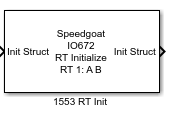
Description
Add an RT Initialize block for each Remote Terminal address for which you want
this board to accept commands. Because each of these blocks must execute after the
global board initialization, connect the Init Struct input to either the:
Ports
Inputs
- Init Struct
Vector that contains information for RT Initialize block.
Outputs
- Init Struct
Vector that contains information for RT Initialize block (Information
passed through from input).
Parameters
-
Remote Terminal
From the list, choose a Remote Terminal from 0 to 31. The remote
terminal number configured in RT Send and RT Receive must match that
specified by the corresponding RT Initialize block.
-
Connect to bus A
Select this check box to have this Remote Terminal listen on bus A. If
a message can come in on either bus, choose both A and B.
-
Connect to bus B
Select this check box to have this Remote Terminal listen on bus B. If
a message can come in on either bus, choose both A and B.
-
Initial status
The value to which the board should initialize the status before it
executes commands. The board maintains a status word that it sends to
the Bus Controller after it executes a command.
-
Initial BIT word
The initial value of the Built In Test (BIT) word. The Remote Terminal
sends this word in response to the Transmit BIT Word mode code.
-
Inhibit terminal flag
Selecting this check box inhibits the Remote Terminal flag. This value
is the initial value of the Inhibit Terminal Flag bit. This value can be
changed from the Bus Controller with the Inhibit Terminal and Override
Inhibit Terminal mode codes. The terminal bit is one of the bits in the
status word that is maintained by the I/O module.
-
Transmit sub addresses
A vector of sub addresses to which this Remote Terminal must respond.
These sub addresses are the sub addresses that can transmit data when
requested. Each element of the vector must correspond to the
corresponding element of the Legal transmit message lengths vector. To
enable the sub address for the Remote Terminal, include the sub address
in the vector. A Remote Terminal accepts a message only if it has been
directed to accept messages of the same length. During initialization,
the board must receive a list of valid message lengths for each Remote
Terminal number.
-
Legal transmit message lengths
A vector of transmit message lengths. This vector is a vector of bit
masks. Each mask bit corresponds to a single message length. Construct
the transmit message length vector as follows:
Each element of the vector corresponds to the
corresponding element of the Transmit sub addresses
vector.
Each element of the vector corresponds to the
corresponding element of the Legal receive message lengths.
Failure to do so prevents the sub address on this Remote
Terminal from responding.
A message can have a length of from 1 to 32 words,
selected by setting one or more bits in a 32-bit mask.
Use the hex2dec function to specify the bit mask in
hexadecimal.
The message length is expressed by bit position in the
mask, not by mask value. The value 0xffffffff enables all
message lengths from 1 to 32.
The board does not accept a message with a disallowed
length. The board sends an error to the Bus Controller by
returning a status with the Message Error bit set.
-
Receive sub addresses
A vector of the sub addresses that can accept a receive message. Each
element of the vector must correspond to the corresponding element of
the Legal receive message lengths vector. To enable the sub address for
the Remote Terminal, include the sub address in the vector. A Remote
Terminal accepts a message only if it has been directed to accept
messages of the same length. During initialization, the board must
receive a list of valid message lengths for each Remote Terminal number.
-
Legal receive message lengths
A vector of receive message lengths. This vector is a vector of bit
masks. Each mask bit corresponds to a single message length. Construct
the receive message length vector as follows:
Each element of the vector corresponds to the
corresponding element of the Transmit sub addresses
vector.
Each element of the vector corresponds to the
corresponding element of the Receive sub addresses
vector.
Each element of the vector corresponds to the
corresponding element of the Legal receive message lengths.
Failure to do so prevents the sub address on this Remote
Terminal from responding.
A message can have a length of from 1 to 32 words,
selected by setting one or more bits in a 32-bit mask.
Use the hex2dec function to specify the bit mask in
hexadecimal.
The message length is expressed by bit position in the
mask, not by mask value. The value 0xffffffff enables all
message lengths from 1 to 32.
The board does not accept a message with a disallowed
length. The board sends an error to the Bus Controller by
returning a status with the Message Error bit set.
-
Sample Time
Defines the base sample time at which this driver block gets its sample hit. This
parameter can also be set to -1 for inherited
sample time. The units are in seconds.
-
Enable input bus A
Select this check box to control bus A through an input port.
-
Enable input bus B
Select this check box to control bus B through an input port.