Documentation search search close
CONTENTS
https://www.speedgoat.com/help/slrt/page/icon_documentation.jpg
v10.0.1.x for R2026a
View other versions

ARINC429 - Encode v4

ARINC429 - Encode v4 — Encode ARINC 429 words for the Send block

Library

Simulink® Real-Time™ - Speedgoat
Description

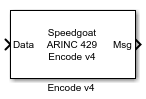
This block encodes the input values in the ARINC 429 protocol depending on the data type selected.

Ports

Inputs
Data

A single value or a vector that should be encoded.

Outputs
Msg

ARINC 429-encoded messages.

Parameters

Label

Enter a three-digit octal number or vector as the ARINC 429 label.

[Note]Note

The Label bit order is reversed automatically by the transmit logic prior to transmission of the ARINC 429 word for all Data Type options.

Data Type

Select the encoding style for the defined labels. The data type determines how the input value is converted to a corresponding ARINC value:

Type

Interpretation

RAW

Pack the low-order 23 bits into an ARINC word and add the value of the Label parameter.

BNR (Two's-complement binary notation)

Scale the input by dividing it by the scale vector in the Scale parameter. This input value is restricted to the range [-Scale, Scale], resulting in a scaled value in the range [-1, 1].

The block performs the following on the scaled value:

  1. Multiplies the scaled value by 2^18.

  2. Truncates the value to a 19-bit fixed-point integer and then uses the number of high-order bits specified in the Bits to Send parameter.

  3. Shifts the result up by 10 bits and inserts it into the 32-bit integer along with the SSM, SDI, and Label parameter values.

To place discrete bits into unused positions, construct the 32-bit word and use it with RAW mode instead of the BNR mode, or combine these modes after encoding.

[Note]Note

If SDI bits are not used, two more bits are available for the data section. Select the Use SDI Bits for Data checkbox as required.

BCD (Binary-coded decimal)

Cast the input as a signed integer, limit it to the range representable by an ARINC five-character BCD value, and pack it into an ARINC word. Set the required SSM, SDI, and Label parameter values.

Discretes

Pack the low-order 19 bits (or 21 bits if SDI is not used) into an ARINC word and set the required SSM, SDI, and Label parameters.

Resolution (BCD) or Scale (BNR)

Enter a vector or scalar value as the resolution/scale vector. If a vector is entered, then it must be the same length as the Label; otherwise, the scalar value is applied to the length of the Label vector.

The interpretation of this value depends on the data type:

Type

Effect

BNR

The block uses this value as a scale factor. The block divides the input value by the scale. Doing so limits the valid input range to [-Scale, Scale]. Values outside this range are limited to ±Scale.

A 19-bit signed ARINC binary can represent a range from -262,144 to 262,143. If the combination of the input signal and resolution produces a value outside this range, then the block returns the result to the minimum/maximum value of the stated range.

BCD

The resolution vector specifies (in the same units as the input signal) the value of the least-significant digit of the BCD data field to be encoded and sent. For example, if the associated resolution is 0.01 and the input signal contains the value 3.1415, the output ARINC word contains the number 314 in its data field, encoded in BCD. Use the same resolution on the receive side to reconstruct 3.14. The resolution is typically a power of 10, but this is not a strict requirement.

The range representable as an ARINC BCD value is -79,999 to 79,999. If the combination of the input signal and resolution produces a value outside this range, the block returns the result to the minimum/maximum value of the stated range.

Bits to Send (BNR)

Specifies the number of high order bits of the 19-bit (or 21-bit if SDI is not used) scaled input to retain when the value is inserted into the encoded word. The block uses this value for a BNR format input.

SDI

Enter a vector or scalar value as the SDI data. If a vector is entered, then it must be the same length as the Label; otherwise, the scalar value is applied to the length of the Label vector.

If the SDI element is in the range 0 to 3, the block sets the SDI field of the corresponding output word to that value. If an SDI element has a value of -1, then the block does not perform SDI processing on the corresponding output word.

SSM

Enter a vector or scalar value as the sign/status matrix (SSM) data. If a vector is entered, then it must be the same length as the Label; otherwise, the scalar value is applied to the length of the Label vector.

If the SSM element is in the range 0 to 3, then the block sets the SSM field of the corresponding output word to that value. If an SSM element has a value of -1, the block does not perform SSM processing on the corresponding output word.

Use SDI Bits for Data

Select whether the SDI field should be used for data (the data field can be extended by two bits).

Enable SSM Input

Select whether the SSM input should be active.