MSCP Read
MSCP Read — Configure the MSCP Read
block
Library
Simulink® Real-Time™ - Speedgoat
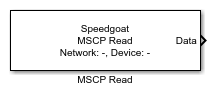
Description
The MSCP Read block allows the user to read back data from an MSCP. One MSCP Read
block handles the data of one MSCP device and only works in combination with an MSCP
Setup block.
Ports
This driver block has one output port.
Outputs
-
Data
The data port outputs a Simulink bus signal, the structure of which
depends on the selected device's slot/module configuration. The Simulink
bus object and a template structure for initialization are created in
the MATLAB® workspace after the block has
been configured. It is recommended to use a Bus Selector block to access
the data contained in the bus signal.
Parameters
-
Sample Time
The Sample Time is displayed here; however, it must be configured in
the corresponding MSCP Setup block, this is because the sample time for
EtherCAT communication is set globally.
-
Network Index
The Network Index is a user-defined
ID to associate the MSCP Read block with the corresponding MSCP Setup
block. The value must be an integer between 0 and 11. When changing the
network index, click the Reload Device
List button to load the list of devices from the MSCP
Setup block.
-
Device
Selects the Device from which the MSCP Read block will receive data.