MSCP Get Device Info
MSCP Get Device Info — Configure the MSCP Get
Device Info block
Library
Simulink® Real-Time™ - Speedgoat
Description
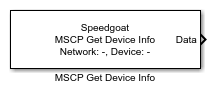
The MSCP Get Device Info block allows the user to read back utility data from an
MSCP. One MSCP Get Device Info block handles the data of one MSCP device and only
works in combination with an MSCP Setup block.
Ports
This driver block has one output port.
Outputs
-
Data
The data port outputs a Simulink bus signal. It is recommended to use
a Bus Selector block to access the data contained in the bus signal. The
bus signal structure is as follows:
Device
Slot_01, Slot_02, […], Slot_11
Header Control Byte. Data type: uint8
Header Layout Version. Data type: uint8
Product Name. Data type: string
Notes. Data type: string
Module Identification Number. Data type: uint32
Hardware Version. Data type: string
Flash Date (Unix Time Stamp). Data type: string
Serial Number. Data type: string
CRC Residue. Data type: uint32
Parameters
-
Sample Time
Must be equal or greater than the configured sample time in the
corresponding MSCP Setup block.
-
EtherCAT Network Index
The Network Index is a user-defined
ID to associate the MSCP Get Device Info block with the corresponding
MSCP Setup block. The value must be an integer between 0 and 11. When
changing the network index, click the Reload
Device List button to load the list of devices from the
MSCP Setup block.
-
Device
Selects the Device from which the MSCP Get Device Info block will
receive data.