IO624 - Frame
IO624 - Frame —
Constructs the payload and calculates the CRC
Library
Simulink Real-Time - Speedgoat
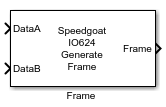
Description
Use this block to easily construct the PSI5 frame. This block places the different
configuration and data fields (Payload) in the correct order in the PSI5 frame,
calculates automatically the CRC and concatenates it in the correct way.
Here a reminder of how a PSI5 Frame is constructed.
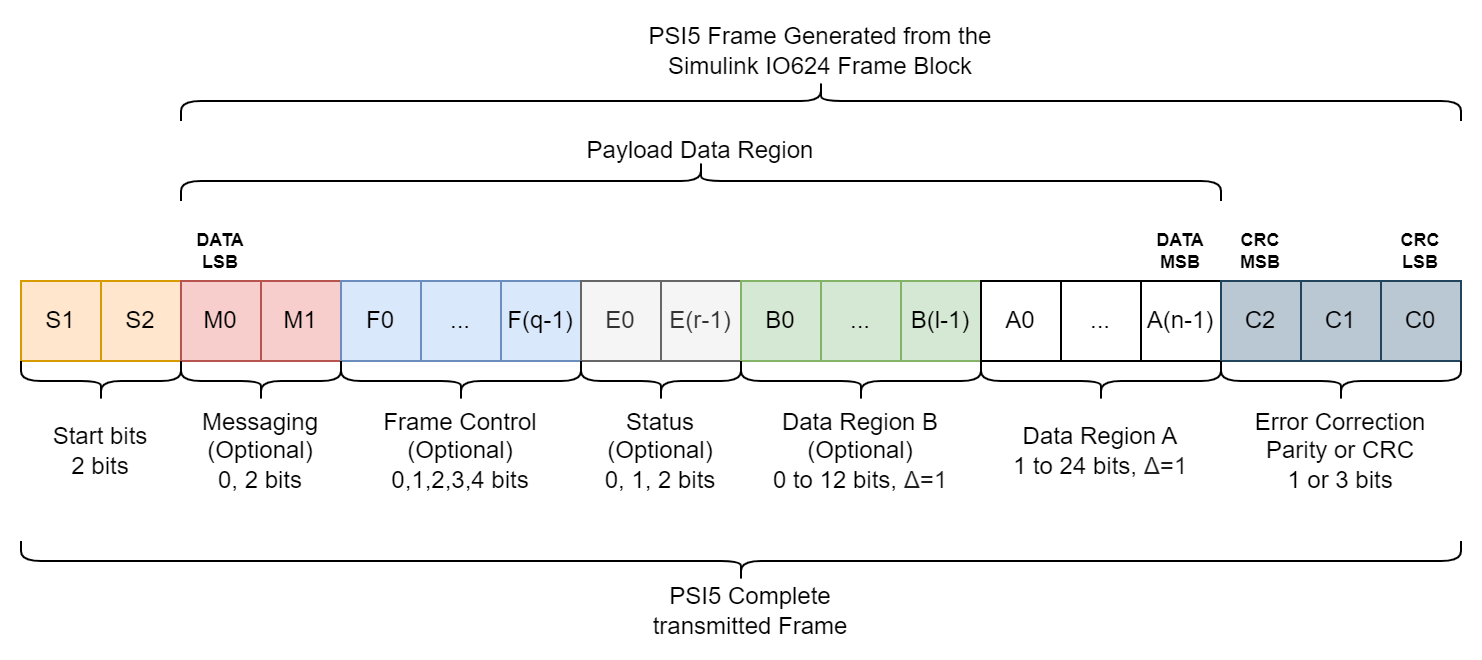
The Input Ports and the Options in the Mask represent the Payload Data Region, and
the Output Port provides the complete PSI5 frame, minus the Start bits, which are
generated automatically by the Setup Block. For the moment the Parity bit option is
not available, only the CRC.
Ports
Inputs
-
DataA
This is a mandatory field in the Frame. If left unconnected it will be
replaced by an equal number of Size of
DataA in zeros.
Data Type:
uint32
-
DataB
This is an optional field in the Frame. If left unconnected it will be
replaced by an equal number of Size of
DataB in zeros.
Data Type:
uint16
Output
-
Frame
This port outputs the constructed PSI5 Frame with all the options and
Fields selected by the user, except the Start bits.
Data Type:
uint32
Parameters
Main Tab
-
Size of DataA
Mandatory field. Defines the length in bits of the Data Region A. It
must be greater or equal to 1, and lower or equal to 24.
-
Size of DataB (Optional)
Optional field. Defines the length in bits of the Data Region B. It
must be greater or equal to 0, and lower or equal to 12. If it is set to
0 the DataB Port will be
ignored.
-
Use Messaging
Activate the use of Messaging in the
PSI5 Frame.
-
Messaging
Optional field. If used, declare a vector [LSB, ..., MSB] of 2 bits.
These bits are for Serial messaging.
-
Use Frame Control
Activate the use of Frame Control in
the PSI5 Frame.
-
Frame Control
Optional field. If used, declare a vector [LSB, ..., MSB] of 1 to 4
bits. These bits specify either the frame data type, data content, or
sensor identification.
-
Use Status
Activate the use of Status in the
PSI5 Frame.
-
Status
Optional field. If used, declare a vector [LSB, ..., MSB] of 1 or 2
bits. These bits are reserved for Error flags.