IO623 - Unpack
IO623 - Unpack —
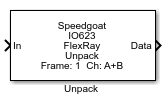
Unpacks the selected FlexRay frame from the Receive block
Library
Simulink Real-Time - Speedgoat
Description
This block provides access to the various fields of a FlexRay frame received.
Connect as many Unpack blocks as required to the IO623 Receive block in your
model.
Ports
Inputs
-
In
FlexRay frames read from the IO623 Receive block.
Data Type:
Io623_FlexrayFrame
Outputs
-
Payload Preamble
Contains the payload preamble indicator bit of the unpacked FlexRay
frame. The output is only shown if enabled in the mask.
Data Type:
uint8
-
Null Frame
Contains the null frame indicator bit of the unpacked FlexRay frame.
The output is only shown if enabled in the mask.
Data Type:
uint8
-
Sync
Contains the sync frame indicator bit of the unpacked FlexRay frame.
The output is only shown if enabled in the mask.
Data Type:
uint8
-
Startup
Contains the startup frame indicator bit of the unpacked FlexRay
frame. The output is only shown if enabled in the mask.
Data Type:
uint8
-
Payload Length
Contains the payload length of the unpacked FlexRay frame. The output
is only shown if enabled in the mask.
Data Type:
uint8
-
Header CRC
Contains the header CRC of the unpacked FlexRay frame. The output is
only shown if enabled in the mask.
Data Type:
uint16
-
Cycle Count
Contains the cycle count of the unpacked FlexRay frame. The output is
only shown if enabled in the mask.
Data Type:
uint8
-
Data
Contains the payload of the unpacked FlexRay frame. The output is only
shown if enabled in the mask. This is a vector with 127 elements.
Data Type:
uint16
-
Channel
Contains the channel (A or B) of the unpacked FlexRay frame. The
output is only shown if enabled in the mask. Channel A is represented by
the value 1 and channel B by the value 2.
Data Type:
uint8
-
Valid Frame
Contains the value 1 if the unpacked FlexRay frame is valid. The
output is only shown if enabled in the mask.
Data Type:
uint8
-
Syntax Error
Contains the value 1 if a syntax error was observed. The output is
only shown if enabled in the mask.
Data Type:
uint8
-
Content Error
Contains the value 1 if a content error was observed. The output is
only shown if enabled in the mask.
Data Type:
uint8
-
Slot Boundary Violation
Contains the value 1 if a slot boundary violation was observed. The
output is only shown if enabled in the mask.
Data Type:
uint8
-
Timestamp
Contains the timestamp of the unpacked FlexRay frame in 1 µs
resolution. The output is only shown if enabled in the mask.
Data Type:
uint32
Parameters
Filter Tab
-
Frame ID
Set this field to the frame ID or slot number of the FlexRay frame you
want to unpack. The block will then filter the input buffer for this
frame.
-
Channel
Set this field to A, B or A+B to
unpack FlexRay frames from the respective channel.
-
Ignore Null Frames
If this option is enabled, then null frames will be ignored when read
out from the input buffer.
This is useful for example when a FlexRay frame is only sent every
even cycle. In the odd cycles you will get null frames if no frames are
sent by the ECU.
Output Ports Tab
-
Payload Preamble Indicator
Enables the "Payload Preamble" output port.
-
Null Frame Indicator
Enables the "Null Frame" output port.
-
Sync Frame Indicator
Enables the "Sync" output port.
-
Startup Frame Indicator
Enables the "Startup" output port.
-
Payload Length
Enables the "Payload Length" output port.
-
Header CRC
Enables the "Header CRC" output port.
-
Cycle Count
Enables the "Cycle Count" output port.
-
Data
Enables the "Data" output port.
-
Channel
Enables the "Channel" output port.
-
Valid Frame
Enables the "Valid Frame" output port.
-
Syntax Error
Enables the "Syntax Error" output port.
-
Content Error
Enables the "Content Error" output port.
-
Slot Boundary Violation
Enables the "Slot Boundary Violation" output port.
-
Timestamp
Enables the "Timestamp" output port.