ARINC 825 - Write
ARINC 825 - Write — Transmit CAN
messages
Library
Simulink Real-Time - Speedgoat
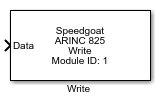
Description
This block sends unscheduled messages to the bus. Multiple blocks can be used per
channel.
![[Note]](images/note.png) | Note |
|---|
Unscheduled messages have a lower priority than scheduled ones. An arbiter
will prioritize scheduled messages ahead of unscheduled ones. |
Ports
Inputs
-
Data
CAN(-FD) message(s) to be transmitted.
CAN-FD message:
Protocol Mode: Select 1 to transmitt a CAN-FD message
otherwise use 0
Extended: Not used
Length: Number of data bytes
Remote: Not used
Error: Not used
BRS: Bit Rate Switch, select 0 if data should be sent with
the nominal baud rate otherwise 1 (Only valid for CAN-FD
messages)
ESI: Not used
DLC: Data Length Code (Only valid for CAN-FD
messages)
ID: Message ID
Timestamp: Not used
Data: Payload data vector
-
Enable
Enable/Disable message transmission.
Parameters
-
Module Type
Select the type of your I/O Module installed in your target
machine.
-
Module ID
This ID defines the link to the corresponding Setup block
-
Channel
Select the channel to which this driver block corresponds.
-
Input Port Width
Specify the number of messages in the input vector.
-
Sample Time
Defines the base sample time at which this driver block gets its sample hit. This
parameter can also be set to -1 for inherited
sample time. The units are in seconds.
-
Show Enable Input
Select whether the enable input is active. Otherwise message
transmission is always enabled.