MQTT - Client Connection
MQTT - Client Connection — Connects the local MQTT
client with one remote MQTT broker
Library
Simulink Real-Time - Speedgoat
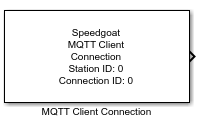
Description
The Connection block connects the local MQTT client with one remote MQTT broker.
Each broker connection requires a Connection block in the model. The connection
start point is given by the local IP address, entered in the Setup block mask, and a
random TCP port. The connection endpoint is given by the IP address and TCP port of
the remote broker. Enter both remote parameters in the Connection block mask.
Ports
Outputs
-
Status
Boolean output to inform the user when a connection with the defined
MQTT broker is established.
Inputs
This block does not have any input ports.
Parameters
General
-
Station ID
Apply the Station ID of the corresponding Setup block. Must range
between 0 and 65535.
-
Connection ID
The Connection ID is used to assign Publish and Subscribe blocks to a
particular client-broker connection. Connection IDs range between 0 to
65535 and must be unique along all Connections blocks of the client
(these blocks have the same Station ID).
-
Remote IP Address
Enter the IP address of the remote MQTT broker.
-
Remote TCP Port
Enter the TCP port the remote MQTT broker is listening on for
connection requests. The default value is 1883.
-
Sample Time
Defines the base sample time at which this driver block gets its sample hit. This
parameter can also be set to -1 for inherited
sample time. The units are in seconds.
Security
-
User Authentication
If selected, the client uses the credentials defined in the Username and Password parameters when connecting to the broker.
Otherwise, the client tries to connect anonymously.
-
Username
Specify the user name with which the client should log in to the
broker.
Data type: Character array
Default value: ''
-
Password
Enter the password associated with the username.
Data type: Character array
Default value: ''