IO602 - CAN Write
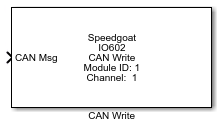
IO602 - CAN Write — Send CAN (HS) and CAN-FD
messages to one channel of the IO602 I/O module
Library
Simulink Real-Time - Speedgoat
Description
The IO602 CAN Write block executes according to the settings in the corresponding
IO602 Setup block. The execution primarily depends on whether the operation mode is
set to CAN (HS) or CAN-FD.
Each execution of a CAN Write block represents a CAN message being written to the
IO602 output buffer. Multiple instances of the block can be used to send messages at
multiple rates.
The write block buffer has a size of 16. A higher number of output messages per
block per sample will result in losses. The content of the block buffers are
transferred to the channel's output buffer on the module. This output buffer has a
size of 16, so you must avoid overflows on the buffer. You can use the block's
Status Output Port to verify this.
To avoid buffer overflows, take precaution when defining the settings of the baud
rate and the CAN Write block's sample time. If using several IO602 Write blocks in
one model, try to distribute them across different samples. Otherwise messages may
be lost in the event of high bus loads.
Ports
The availability of input ports depends on the Channel
Selection setting of the corresponding IO602 Setup block and the
Message type setting of the respective block:
CAN (HS) & CAN: The only message type available is CAN_MESSAGE
input
CAN-FD & CAN: The only message type availabe is CAN_FD_MESSAGE_BUS
input
CAN (HS) & RAW: Identifier, Length, Identifier Type and Data
inputs are available
CAN-FD & RAW: Identifier, Data Length Code (DLC), Identifier Type,
BRS and Data inputs are available
Inputs
-
CAN Msg
The complete CAN message. Use the "CAN Pack" or "CAN-FD Pack" block to
create this message.
The data type is CAN_MESSAGE if CAN (HS) is selected.
The data type is CAN_FD_MESSAGE_BUS if CAN-FD is selected.
-
ID
The CAN message identifier. The data type is uint32.
-
EFF
The identifier type (Extended Frame Format) of the CAN message.
The data type is uint8.
-
Length/DLC
If CAN (HS) is selected in the related Setup block, this port expects
the length of the payload data. If CAN-FD is selected in the related
Setup block, this port expects the DLC.
The DLC and corresponding byte lengths are as follows.
The data type is uint8.
-
BRS
If enabled (1), the Bit Rate Switch (BRS) transmits the data segment
of a message with the fast data rate defined in the corresponding Setup
block. The data type is uint8.
-
Data
Expects the payload of a message as a vector of data type uint8. If
the payload is shorter than the size of this input port, complete the
field with zeros.
The data length of the input port is 8 bytes with CAN (HS).
The data length of the input port is 64 bytes with CAN-FD.
Outputs
-
Status
Indicates if the message supplied to the input ports has been
successfully placed in the IO602 I/O module tx queue.
This port can be enabled or disabled using the Enable Status Output Port setting in the dialog box for
this driver block.
The data type is uint8.
Parameters
-
Module ID
This ID defines the link to the corresponding Setup block
-
Sample Time
Defines the base sample time at which this driver block gets its sample hit. This
parameter can also be set to -1 for inherited
sample time. The units are in seconds.
-
Channel Number
Selects the CAN channel to which this driver block corresponds.
-
Message Type
CAN: Use the "CAN Pack" or "CAN-FD Pack" block to define
the CAN message, depending on the corresponding setting of
the IO602 Setup block.
RAW: Manual definition of the CAN message. Refer to the
CAN specification and the description of the inputs
-
Input as bus
Select this option for the block if the input CAN messages is a bus signal.
-
Enable Status Output Port
Adds the "Status" output port.