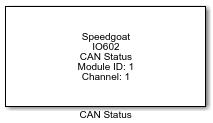
IO602 - Controller Status
IO602 - Controller Status — This block provides CAN bus and
controller status information for the configured channels of the IO602 I/O
module
Library
Simulink Real-Time - Speedgoat
Description
This block provides CAN bus and controller status information for the configured
channels of the IO602 I/O module.
Ports
-
Inputs
The block comes without inputs by default. One input can nonetheless
be configured using the Bus off
recovery parameter. Refer to this parameter below for
additional information.
-
Outputs
The block comes without outputs by default. Outputs can nonetheless be
configured by the mask parameters. Refer to the relevant parameters for
additional information.
Parameters
Tab: General
-
Module ID
This ID defines the link to the corresponding Setup block
-
Sample Time
Defines the base sample time at which this driver block gets its sample hit. This
parameter can also be set to -1 for inherited
sample time. The units are in seconds.
-
Get Status for Channel
Select the channel of the chosen module for which to get status
information. The IO602 Status block supports channels 1 and 2
only.
-
Bus Off Recovery
Off means no bus recovery before the
next model start. Auto means that the
Status block triggers bus recovery immediately as soon as the bus-off
state is detected. Manual means the
user is provided an input port for bus recovery triggering.
-
Output as Array
If this is enabled, all the selected status outputs are collected into
a single array. The signal ordering in the array is the same as is
visible in the S-Function parameter dialog, going left-to-right and
top-to-bottom
Tab: Module
This tab collects channel-independent module status signals.
-
Live count
A counter that is incremented with each execution of the Status block,
providing the module is active.
-
Initializing
Indicates that the firmware of the module is currently initializing.
Tab: Channel
This tab collects status signals which are calculated on a per channel
basis.
-
Average Bus Load Percent
CAN bus load, as reported by the hardware every 250 ms. The
average is calculated from the time elapsed since the last execution of
the Status block.
-
Receiving
Indicates that the channel is currently receiving a message.
-
Receive Queue Empty
This is not zero if both the receive buffer of the driver and the
message buffer inside the controller are empty.
-
Receive Queue Overruns
This counts the number of overruns that occurred for the receive
queue, i.e. the number of discarded CAN messages.
-
DMA Receive Buffer Percent
0-100 % of the receive buffer on the driver side. The IO602 I/O
module uses a buffer for up to 256 CAN messages.
![[Note]](images/note.png) | Note |
|---|
The RX Buffer Level might be greater than 0% when no CAN messages
are on the Bus. This is because the RX buffer is also used for internal messaging. |
-
Transmit Pending
The transmit queue is not empty.
-
Transmit Queue Overruns
Counts the number of discarded CAN messages which could not be put
into the transmit queue because it was full.
-
Transmit Buffer Percent
0-100 % of the transmit buffer on the hardware module. The IO602
I/O module has a hardware transmit FIFO for 16 CAN messages.
-
Error Warning Limit Exceeded
This is set if either the CAN receive error counter or the CAN
transmit error counter reaches the warning limit.
-
Error Passive Limit Exceeded
The CAN controller is in error passive mode. This is set if either the
CAN receive error counter or the CAN transmit error counter reaches the
passive limit.
-
Bus Off Status
The CAN controller is in bus off mode. This is set if the internal
transmit error counter reaches the bus off limit.
-
Bus Coupling Error
Indicates a bus coupling or wiring error. Not available for the IO602
I/O module.
-
Transceiver Error
Indicates a transceiver error. Not available for the IO602 I/O
module.
Tab: CAN Parameters
This tab collects feedback signals for the parameter settings currently in
use.
-
Operating Mode
Current controller mode. 0 – Off, 1 – CAN low speed, 2 – CAN high
speed, 3 – CAN FD. Note that the IO602 I/O module does not support CAN
low speed.
-
Prescaler (BRP)
Outputs the current value set in the controller. Note that the IO602
I/O module uses the same BRP values for the arbitration and data phases.
-
Time Segment 1 (TSEG1)
Outputs the current value set in the controller.
-
Time Segment 2 (TSEG2)
Outputs the current value set in the controller.
-
Synchronisation Jump Width (SJW)
Outputs the current value set in the controller.
-
Outputs Current Value Set in Controller
Data time segment 1 (TSEG1).
-
Outputs Current Value Set in Controller
Data time segment 2 (TSEG2).
-
Data Synchronisation Jump Width (SJW)
Outputs the current value set in the controller.