IEC 61850 - Client Setup
IEC 61850 - Client Setup — Configures one IEC 61850
client node
Library
Simulink Real-Time - Speedgoat
Description
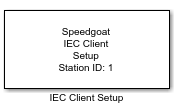
The Setup block configures one IEC 61850 Client station, allows the Connection
block to connect to IEC 61850 Servers, and enables the Transceiver blocks to
exchange data on the network. Every IEC 61850 Client block in the model requires a
runtime license.
Ports
This driver block has no input or output ports.
Parameters
Tab: General
-
Station ID
The Station ID is used to assign Setup, Connection and Transceiver
blocks to a particular client node. Station IDs range between 0 to 65535
and must be unique along all IEC 61850 Client and Server setup blocks in
a model. You can define multiple clients by placing a Setup block in
your model with a unique Station ID for each client.
-
Local IP Address
Enter the IP address of the MMS Client. This step does not assign
the IP address to an Ethernet interface. Instead, it binds the Setup
block to an IP address which was previously configured in the Ethernet
Configuration Tool. Refer to the IEC 61850 usage notes
for further information.
There is no need to specify a TCP port for the client, as TCP ports
are automatically assigned at start-up.