CAN Message Utilities: Counter Insert
CAN Message Utilities: Counter Insert — Computes and inserts a counter
value in a CAN or CAN-FD message payload.
Library
Simulink Real-Time - Speedgoat
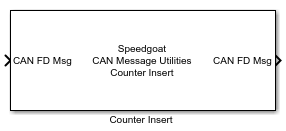
Description
The Counter Insert block inserts a counter value of a certain bit width at a
certain bit position inside the data payload of a CAN or CAN-FD frame. The block
inherits the sample time from the CAN or CAN-FD message line connected to its input.
The counter value can be generated internally (internal
counter) to the block or provided by the model through a dedicated input
port.
During execution, the current value of the internal counter
is first inserted into the payload and is then incremented. The incremented value
becomes the current counter value in the execution of the block in the next
simulation step.
The counter increment behavior can be controlled through an optional input port.
Using this input, the increment rate can be configured to occur every d-th sample step, or the increment can be paused or
stopped entirely. This port is intended to be used in conjunction with the Tx
Control input port of the CAN Write block.
The user needs to pay particular attention when configuring counter width, counter
location and other counter parameters to ensure that no overflow or truncation occur
when computing and inserting the counter into the payload.
Ports
Which input and output ports are available depends on the settings configuration
in the block mask.
Input
-
Message Port
This input port is always available and its datatype (either
CAN_MESSAGE_BUS, CAN_FD_MESSAGE_BUS or a uint8 array with a maximum
length of 256 bytes) is configured by the Protocol parameter in the block mask.
-
Enable
Select Enable Port in the mask to
enable this input port. The datatype is double. When the Enable input signal is 0, the block does not
modify the input message. It simply mirrors it directly to the message
output port. If Enable is not 0, the
block inserts the counter value in the message data payload based on the
values of the other parameters. The counter value is incremented
regardless of the Enable input signal
value.
-
Counter Control
Select Counter Control Port in the
mask to enable this input port. The datatype is uint32.
The internal counter increment is controlled by
the value of the uint32 scalar:
'0' to reset the counter to the value specified in the
Counter Start Value
field
'1' to increment at every sample step of the block
Value d (>'1') to only increment at every
d-th sample step of the block (e.g.,
d = '4' increments the counter value at
every 4th sample step of the block)
'0xFFFF' to hold the current counter value
The counter value is always inserted in the message data payload based
on the values defined for the other parameters, except when the value of
the Counter Control port is '0'.
-
Counter
Select Counter from Input Port in the
mask to enable this input port. The following datatypes are supported:
uint8, uint16 and uint32. When using this option, the counter value
inserted in the payload is generated in the model and sent to the block
using this port. Ensure that the counter value is configured
consistently with the Counter Length
(Bits) and Counter Location
(Bits) parameters specified in the mask. Incorrect
configuration of these parameters in relation to the counter value may
result in unexpected behavior.
The Counter Control port is
unavailable if a counter value is sent using this input port.
Outputs
-
Message Port
This output port is always available and its datatype (either
CAN_MESSAGE_BUS, CAN_FD_MESSAGE_BUS or a uint8 array with of length
inherited from the input) is configured by the Protocol parameter in the block mask. The CAN message,
CAN-FD message or uint8 array with the payload modified by counter
insertion is output on this port.
-
Counter
Select Counter Output Port in the
mask to enable this output port. The datatype is uint32 by default. This
port outputs the counter value that can be either generated internally
or sent externally using the counter input port (in the latter case, the
input (including the datatype) is simply mirrored to this output
port).
Parameters
-
Enable Port
Adds an "Enable" input port to enable/disable the Counter Insert block
at runtime.
- Counter Control Port
Adds a "Counter Control" input port to control the increment of the
internal counter at runtime.
-
Counter from Input Port
Adds a "Counter" input port to allow the counter value to be provided
from the model.
-
Counter Output Port
Adds a "Counter" output port providing the value of the counter added
to the payload.
-
Counter Start Value
The initial value of the internal counter.
-
Counter Stop Value
The stop value of the internal counter.
-
Counter Step Value
The value by which the internal counter is increased at each block
execution.
-
Counter Location (Bits)
The location, expressed in bits, where the counter is inserted in the
payload. Counter Location is expressed in 0-based indexing (e.g., if the
user wants to insert the counter in the 2nd byte, this parameter should
be configured to the value 8).
-
Counter Length (Bits)
The number of bits that are overwritten by the counter value, starting
from the Counter Location parameter.
-
Protocol
This parameter determines the datatype of the block's input
port.