Read Button Press
Read Button Press
Library
Simulink Real-Time - Speedgoat/Utilities
Description
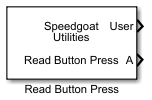
This block reads the presses of the User button on the Pulse real-time target
machine and/or the keys on a keyboard connected to a real-time target machine, when
the intention is to use such presses as signals in a Simulink model.
Supported Target Machines
This block supports all Speedgoat real-time target machines.
Ports
Outputs
-
User
Reports the state of the User button on the Pulse real-time target
machine, if enabled.
Data Type:
boolean
-
Enter
Reports the state of the Enter key of the connected keyboard, if
enabled.
Data Type:
boolean
-
Space
Reports the state of the Space key of the connected keyboard, if
enabled.
Data Type:
boolean
-
X
For each custom key [0-9 and A-Z] configured, an additional output
port is added to the block and reports the state of the selected key on
a keyboard connected to the real-time target machine.
Data Type:
boolean
Parameters
-
Enable User button (Pulse only)
Enables the User button on the Pulse real-time target machine to be
monitored and adds the respective block output port. If used on a
different real-time target machine than Pulse, the output will remain
0.
-
Enable Enter Key
Enables the Enter key on a keyboard connected to the real-time target
machine to be monitored and adds the respective block output port. If no
keyboard is connected to the real-time target machine, the output will
remain 0.
-
Enable Space Key
Enables the Space key on a keyboard connected to the real-time target
machine to be monitored and adds the respective block output port. If no
keyboard is connected to the real-time target machine, the output will
remain 0.
-
Enable Custom Keys (Keyboard)
Enables custom keys on a keyboard connected to the real-time target
machine to be monitored and adds the respective block output ports. If
no keyboard is connected to the real-time target machine, the outputs
will remain 0.
-
Custom Keys
Enter a character array of the keyboard keys to be monitored.
Supported are keys 0-9 and A-Z. Up to 10 custom keys can be
configured.
![[Note]](images/note.png) | Note |
|---|
The default keyboard layout on Speedgoat real-time target machines
is English (United States). |
| Note |
|---|
Input from the numeric keypad (numpad) is not supported. |
-
Behavior
Select one of the three options to configure the behavior of the block
output ports:
Momentary: Block output is high (1) while the button/key
is being pressed, and resets to low (0) when
released.
Toggle: Block output switches to high (1) when the
button/key is pressed, and remains high when the button/key
is released. The output resets to low (0) on the next
consecutive button/key press.
Once: Block output goes high (1) for exactly one sample
time step when the button/key is pressed, and resets to low
(0) in the next time step, even if the button/key is still
being held. Only after releasing the button/key, can a new
trigger be issued by pressing the button/key again.
-
Sample Time
Defines the base sample time at which this driver block gets its sample hit. This
parameter can also be set to -1 for inherited
sample time. The units are in seconds.