OPC UA - Server Setup
OPC UA - Server Setup — Configures one OPC UA server
station
Library
Simulink Real-Time - Speedgoat
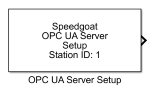
Description
The Setup block configures one OPC UA server station, opens the TCP port for
incoming connection requests and enables the node block to define local OPC UA
objects and variables. Every OPC UA Server Setup block in the model requires a
runtime license.
Ports
Outputs
-
Connection Status
Number of clients connected.
Data Type: uint16
Inputs
This block does not have any input ports.
Parameters
General
-
Station ID
The Station ID is used to assign Setup and Node blocks to a particular
server station. Station IDs range between 0 to 65535 and must be unique
along all OPC UA Client and Server Setup blocks in a model. You can
define multiple servers by placing a Setup block with a unique Station
ID for each server.
-
Local IP Address
Enter the IP address of the OPC UA server. This step does not assign
the IP address to an Ethernet interface. Instead, it binds the Setup
block to an IP address which was previously configured in the Ethernet
Configuration Tool. Refer to the OPC UA usage notes
for further information.
-
TCP Port
The TCP port the server listens on for connection requests from the
client. The default port is 4840. For a custom port, select between the
range 0 and 65535. The reserved ports should not be used.
https://en.wikipedia.org/wiki/List_of_TCP_and_UDP_port_numbers
-
Sample Time
Defines the base sample time at which this driver block gets its sample hit. This
parameter can also be set to -1 for inherited
sample time. The units are in seconds.
-
Number Of Additional Namespaces
Enter the number of namespaces you want to add to the default
namespaces with index 0 and 1. The number must range between 0 and
254.
Security
This tab contains parameters for user authentication and secure OPC UA message
transfer. With OPC UA, data transfer as well as the transmission of usernames
and passwords can be encrypted, according to the selected security policy. The
OPC UA server provides endpoints that the client can select for the secure
channel. Each endpoint has a security policy and mode. In order to receive the
list of available endpoints, the client first connects to the None endpoint. This endpoint must always be defined
by the server. If the desired secure endpoint is available in the list, the
corresponding security policy and security mode become active for message
signing and encryption. The Noneendpoint is
also a valid endpoint for the secure channel and does not activate any signing
and encryption. All other secure endpoints require a public X509 certificate and
a private key. In addition to the secure message transfer, the server supports
the Anonymous and Username user token policies for user/client authentication.
Each simulated OPC UA server instance has its own settings for security and
authentication.
-
Endpoint Definition
Select the endpoints the server should create. The None endpoint must always be selected.
Furthermore, select the security mode for each endpoint. The None security policy always goes with the
None security mode. The other
secure endpoints can have the security mode Sign or Sign and
Encrypt. If Sign and
Encrypt is selected, the server creates two endpoints
with the same security policy, one with the security mode Sign and one with the security mode Sign and Encrypt. If all rows are selected
and show Sign and Encrypt, the server
creates nine endpoints in total.
-
User Authentication
Select the authentication methods the server should allow.
Anonymous allows any OPC UA
client to connect to the server.
The Username user token
policy prompts the remote client to login with a username and
password. The server checks if the username/password pair is
included in the user list, specified by the Usernames and Passwords parameters. The security policy for
username/password encryption is the last policy selected in the
endpoint list. If None alone is
selected, usernames and passwords will not be encrypted and can
be read on the network.
-
Certificate
Define the location of the public application instance certificate on
the host PC. The file must be an X509 DER file with extension *.cer.
During the build process, the file will be packed into the real-time
application and transferred to the target machine. The certificate is
required for endpoints other than None.
The X509v3 Subject Alternative Name property of the certificate file
must match the character array entered in the Application URI parameter. You can use the certificates
included in the OPC UA product examples.
Data type: Character array
Default value: ''
-
Private Key
Define the location of the private key file on the host PC. The file
must be a PEM file with extension *.pem and must relate to the
certificate. During the build process, the file will be packed into the
real-time application and transferred to the target machine. The private
key is required for endpoints other than None. You can use the private keys included in the OPC
UA product examples.
Data type: Character array
Default value: ''
-
Trust List
Specify the directory on the host PC that contains the certificates of
the clients the server should accept during connection. All the files in
that directory will be packed into the real-time application and
transferred to the target machine. An empty character array will cause
the server to accept all client certificates. You can use the
certificates included in the OPC UA product examples.
Data type: Character array
Default value: ''
-
Usernames
Specify the usernames to which the server should grant access. The
number of usernames must match the number of passwords. The first
username in the list belongs to the first password. The last username
belongs to the last password.
Data type: String or string array
Default value: ["user1","user2"]
-
Passwords
Enter the passwords associated with the usernames.
Data type: String or string array
Default value: ["password1","password2"]
Identity
-
Application URI
The Application URI is a common identity property of all OPC UA
devices. When using certificates, the Application URI must match the
X509v3 Subject Alternative Name property of the certificate.