IO907/IO908 - Read
IO907/IO908 - Read — Reads the shared
memory
Library
Simulink Real-Time - Speedgoat
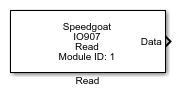
Description
Before you begin to configure this block, ensure that you have a predefined shared
memory partition structure (refer to the Usage Notes). The Read block
requires this structure in order to define how Simulink signal values are mapped in
the shared memory. It also uses this structure to determine the total size and
address of the shared memory.
Ports
Outputs
-
Data
Outputs the data read from the module according to the partition
structure.
-
Status
Board status byte with the following bits:
0: Own Data — The return of the data packet has been
detected. This indicates that the link is intact
1: Bad Data — Invalid data or data loss detected
2: Rx Signal Detect — Light is detected on the
receiver
3: Latched Sync Loss — Loss of a valid signal
detected
4: Latched Rx FIFO Almost Full — Rx FIFO is operating
at the maximum acceptable rate
5: Latched Rx FIFO Full — Rx FIFO is full. Indicates a
fault condition due to a board malfunction
6: Tx FIFO Almost Full — Indicates that the Tx FIFO is
almost full
7: Tx FIFO Empty — Indicates that the Tx FIFO is
empty
Parameters
-
Module Type
Select the type of your I/O Module installed in your target
machine.
-
Module ID
This ID defines the link to the corresponding Setup block
-
Partition Struct
Enter the name of the predefined shared memory partition structure.
The block uses this structure to specify how Simulink signal values map
into shared memory.
-
Operating Mode
When Operating Mode is defined as
target, the driver block will read the x86 RAM. Use this option in
conjunction with the Request DMA transfer driver block. When Operating mode is defined as initiator, the
driver block will initiate data transfer from the module to Simulink and
then read the data.
-
Sample Time
Defines the base sample time at which this driver block gets its sample hit. This
parameter can also be set to -1 for inherited
sample time. The units are in seconds.
-
Board Status Port
Select this checkbox to monitor the board status.