IO752 - Record Write
IO752 - Record Write —
Writes data to local PROFINET records
Library
Simulink Real-Time - Speedgoat
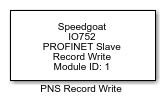
Description
This block is used to write the records of the PROFINET device. Use the IO752
Setup block to define these records. On the network side, the records can be read
and written by the PROFINET controller.
Your model can contain only one Record Write block for each I/O module in your
target machine. This single block handles all write access to the records of the
related module.
![[Caution]](images/caution.png) | Caution |
|---|
This block is obsolete. Use the IO752 Record block instead. |
Ports
Inputs
This block has one input port for each record defined in the Record/Parameter Configuration parameter of the
related Setup block where the Access Mode is
"write" or "read-write". The port is an array of uint8. The length depends on
the Default Value property. The name of the
port is composed of the Slot, Sub-Slot and Index
properties.
If no records have the "write" or "read-write" Access
Mode, then the block will have no input ports.
Outputs
This block does not have any output ports.
Parameters
-
Module ID
This ID defines the link to the corresponding Setup block
-
Sample Time
Defines the base sample time at which this driver block gets its sample hit. This
parameter can also be set to -1 for inherited
sample time. The units are in seconds.
| Caution |
|---|
All blocks that interface with the same I/O module must have identical
sample times. |
-
Retrieve Record Configuration
Retrieves the record configuration from the related Setup block and
updates the input ports.