IO682 - Encode v2
IO682 - Encode v2 —
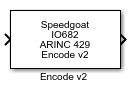
Encode ARINC 429 words for the Send block
Library
Simulink® Real-Time™ - Speedgoat
Description
This block encodes the input values in the ARINC 429 protocol.
![[Note]](images/note.png) | Note |
|---|
The output port of an Encode block is a signal of type double. As, the encode
block encodes the data on this port in a non-standard way, you must send this
data to one of the following: ARINC 429 Send block — The ARINC Send block accepts data as
a double Simulink Mux block — The Mux block does not interpret the
data. After the Mux block, you can send it to the ARINC Send
block
|
Ports
Inputs
-
Data
A single value or a vector that should be encoded.
-
X (Bit Position)
If custom data type mode and input data type discrete is selected, one
input per selected bit is avilable.
Outputs
-
ARINC 429 Message
ARINC 429 encoded message.
Parameters
-
Mode
Select one of the following operation modes:
Standard — Allows to encode multiple labels. The
input port width adapts to the number of defined Label elements.
Message Sequence — Encode a sequence of ARINC 429
words with the same label. The input port width adapts to
the number of defined Data
Type elements.
Bit Oriented — Encode multiple ARINC 429 words with
the same label, data type, resolution, bits, SDI and SSM
values. The input port width automatically adapts to that of
the source block. Input port width is limited to 256
values.
Custom Data Type — Allows to encode custom data
types.
-
Label
Enter a three digit octal number or vector as the label. The label
field of each ARINC word sent over the output port will contain this
values except Raw is selected as Data
Type.
| Note |
|---|
The Label bit order is
reversed automatically by the transmit logic prior to the
transmission for all Data Type
options. |
-
Data Type
Enter a vector or scalar consisting of values between 0 and 3. These
values specify the data type. If a scalar value is applied in standard
mode, it uses the same value for all defined labels.
The data type determines how the input double value is converted to a
corresponding ARINC value as follows:
-
Resolution (BCD) or Scale (BNR)
Enter a vector or scalar value as the resolution vector. This value
must be a vector of the same length as the Data
Type. Otherwise, the scalar value is applied to the
length of the Data Type vector.
The interpretation of this value depends on the data type. The block
works with the data types as follows:
-
Bits to Send (BNR)
Specifies the number of high order bits of the 19-bit scaled input to
keep when the value is inserted into the encoded word. The block uses
this value for a BNR format input; other formats ignore it. You must
include a place in the Bits to Send
parameter for each entry in the Data
Type vector; however, the block only uses the value for
BNR.
-
SDI
Enter a vector or scalar value as the SDI data. This must be a vector
of the same length as the Data Type.
Otherwise, the scalar value is applied to the length of the Data Type vector.
Depending on the Data Type this block
interprets the SDI values as
follows:
-
SSM
Enter a vector or scalar value as the SSM data. This vector must be
the same length as the Data Type.
Otherwise, the scalar value is applied to the length of the Data Type vector.
Depending on the Data Type this block
interprets the SSM values as
follows:
-
Input Data Type
Select the type of custom data encoding for the ARINC 429 word.
Available types:
-
Data LSB
Specifiy the LSB bit of your data within the ARINC 429 word.
-
Data MSB
Specifiy the MSB bit of your data within the ARINC 429 word.
-
Bit Position
Select which bits of the ARINC 429 word are used as inputs.
-
Scale
Specify the scale factor for BNR data.
-
Bits Exponent
Specify the amount of bits for the exponent of your floating-point
data.
-
Bits Mantissa
Specify the amount of bits for the mantissa of your floating-point
data.
-
Enable SSM Input
Select whether the SSM input should be active.