IO17x - Analog Input
IO17x - Analog Input — Read the IO17x analog
inputs
Library
Simulink Real-Time - Speedgoat
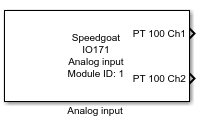
Description
Your model can contain only one Analog Input block for each I/O module in your
target machine.
Ports
This driver block has up to 16 sensor output ports for the IO171, or up to 6
sensor output ports for the IO172, and additional status output ports.
Outputs
-
Sensor X
Outputs the translated data from channel X. The scale and unit depend
on the sensor type selected.
-
Onboard Temp
Outputs the value of the onboard temperature sensor in degrees
Celsius.
-
Ext Temp
Outputs the value of the external temperature sensor in degrees
Celsius.
-
Conv Status
For every enabled channel, the conversion status output shows if new
data is available:
-
Error
For every enabled channel, the error output shows if an error occurred
during the measurement:
0: No error
1: Measured value does not correspond with table
definitions
2: Timeout during measurement or SPI communication
problem
3: Measured value does not correspond with table definitions
and timeout during measurement or SPI communication
problem
Parameters
- Module Type
Select the type of your I/O Module installed in your target
machine.
-
Module ID
The Module ID has two functions:
It defines the logical connection between the Setup block and its I/O
blocks
It also informs the auto-search feature of the PCI Slot parameter. If
only one I/O module of this type is installed, the Module ID must be set
to 1. If n modules are installed, it
must be in the range 1:n. Not all the I/O modules installed in the
target machine need to be used. To see how each I/O module maps to a
Module ID, use this Speedgoat API:
speedgoat.getIoInterfaces("TargetName", "mySpeedgoat")
-
Sample Time
Defines the base sample time at which this driver block gets its sample hit. This
parameter can also be set to -1 for inherited
sample time. The units are in seconds.
-
Output Ports
Select which of the following output ports should be enabled: