Modbus - Server Read
Modbus - Server Read — Reads data from local Modbus
data tables
Library
Simulink Real-Time - Speedgoat
Description
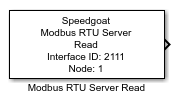
This block is used to read and output data from the local Modbus data tables such
as coils and registers. You can use multiple Modbus RTU Server Read blocks for each
Modbus server node defined in the model.
Ports
Inputs
This block does not have any input ports.
Outputs
-
Output
Array of length Quantity that
includes the values read from the given Data
Table for the data range specified by the Index and Quantity parameters. The data type depends on the
selected data table.
For Coils and Discrete Inputs, the output port is a vector of
the BOOLEAN data type, where the length of the vector is defined
by the Quantity parameter. Each
BOOLEAN element of the vector represents one bit.
For Holding Registers and Input Registers, the output port is
a vector of the UINT16 data type, where the length of the vector
is defined by the Quantity
parameter. Each UINT16 element of the vector represents one
word/register.
Use Byte Unpack blocks to convert to signed values or floating-point
numbers. You can unpack a vector of type UINT16 and length 4 to one
double value.
Parameters
-
Server Interface ID
Apply the Server Interface ID of the corresponding Setup block. Must
range between 0 and 65535.
-
Node ID
Apply one of the Node IDs, which were defined in the Setup block. You
can assign multiple Read blocks to the same Modbus node. Must range
between 1 and 247.
-
Data Table
Select the Modbus data table you want to read data from. The options
are:
Coils
Discrete Inputs
Holding Registers
Input Registers
-
Data Index
The first index of the data range you want to read. Must range between
0 and 65535.
For Coils and Discrete Inputs, the parameter defines the start
bit
For Holding Registers and Input Registers, the value defines
the start word
-
Data Quantity
The length of the data range you want to read. Index + Quantity must
not exceed 65536.
-
Swap Bytes
The bytes of a register must be swapped if the sender and the receiver
interpret the byte order in different ways (endianness). The Speedgoat
real-time target machine uses little-endian, while some clients use big-endian
If the swap option is enabled, all register values from the
application context will be swapped before they are sent to the network.
All register values received from the network will be swapped before
they are submitted to the application context. The swap option only
affects input registers and holding registers (transmitted by function
codes FC3, FC4, FC5, FC6, FC16). Discrete inputs and coils are not
affected. Use Byte Reversal blocks instead of enabling the global byte
swapping if only single registers need to be swapped.
-
Sample Time
Defines the base sample time at which this driver block gets its sample hit. This
parameter can also be set to -1 for inherited
sample time. The units are in seconds.