IO976 - Read
IO976 - Read — Reads the IO976 temperature
inputs
Library
Simulink Real-Time - Speedgoat
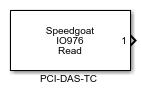
Description
Your model can only contain one of these blocks for each I/O module in your target
machine.
Ports
This driver block has n scalar output ports of type double where n is the number
of selected input channels. Each port (signal) returns the temperature in either
degrees C, K, or F.
Outputs
-
X (X is the analog channel number)
The temperature value from thermocouple channel X in either degrees C,
K, or F.
Data Type:
double
Parameters
-
Conversion Rate (Integration Time)
From the list, choose either 50Hz, 60Hz, or 400 Hz. This is the
conversion rate for the V-F A/D converter. The conversion rate is the
same for all input channels.
-
Number of Samples for Moving Average
From the list, choose a value from 1 to 16. Converted signal values
are put into a cyclic buffer of size n which is used to calculate the
moving average over these n samples.
-
Active Channels
From the list, choose a value from 1 to 16. This defines the number of
channels to be acquired.
-
Vector of Input Thermocouple Types (Cell Array of Char)
For each acquired channel, enter a valid type of either 'J', 'K', 'E',
'T', 'R', 'S', or 'B'. This vector defines the type of thermocouple for
each channel. The vector must be the same length as the Number of
channels to be acquired.
-
Vector of Input Gains (Double Array)
For each acquired channel, enter a valid input gain of either 1, 125,
166.7, or 400. This vector defines the input gain for each channel. The
vector must be the same length as the Number of channels to be acquired.
-
Vector of Temperature Formats (Cell Array of Char)
For each acquired channel, enter a valid format of either 'C' or 'F'.
'C'= Celsius and 'F'= Fahrenheit. The vector must be the same length as
the Number of channels to be acquired.
-
Read and Output CJC Temperature
If you want the block to read, convert, and output the temperature of
the cold junction (CJC) sensor on the board, select this check box. If
selected, the block shows an additional output port with the value of
the CJC temperature.
-
Sample Time
Defines the base sample time at which this driver block gets its sample hit. This
parameter can also be set to -1 for inherited
sample time. The units are in seconds.
-
PCI Slot (-1: auto-search)
There are two approaches for mapping this block to a specific I/O module installed
in your target machine. All modules of the same type must be configured using the
same method.
Auto-Search: with the default value -1 the I/O module will be automatically located in the
target machine. If you have multiple modules of the same kind, the
Module ID defines which module is associated with this block. To see how
each I/O module maps to a Module ID, use this Speedgoat API:
speedgoat.getIoInterfaces("TargetName", "mySpeedgoat")
Explicit Addressing: to explicitly define the logical address of the
I/O module in the target machine, you can provide the PCI bus and slot
numbers as a vector: [bus, slot]. To determine these numbers, run the
following command in the MATLAB command window:
speedgoat.getIoInterfaces("TargetName", "mySpeedgoat", "Advanced", true)Note
that the PCI address can change whenever an I/O module is added or
removed – usually, auto-search is the best option.