IO750 Usage Notes
IO750 Usage Notes — Usage information about the
I/O module
Description
This section describes how to configure the EtherCAT network.
Warmstart
The warmstart mode allows a configuration subset to be automatically loaded to
the Simulink driver block. This configuration option is limited to the number of
input and output bytes and the product code.
SYCON.net Configuration Tool
![[Note]](images/note.png) | Note |
|---|
Only SYCON.net V1.400 Build 170125 has been
tested. There is no guarantee therefore that other versions will work with the
Speedgoat I/O Blockset. |
For some advanced scenarios the EtherCAT subordinate device may need to be
configured with the SYCON.net configuration tool.
Open SYCON.net and locate the "CIFX RE/ECS" EtherCAT Stand-Alone Slave.
Drag and drop the device to the main panel.
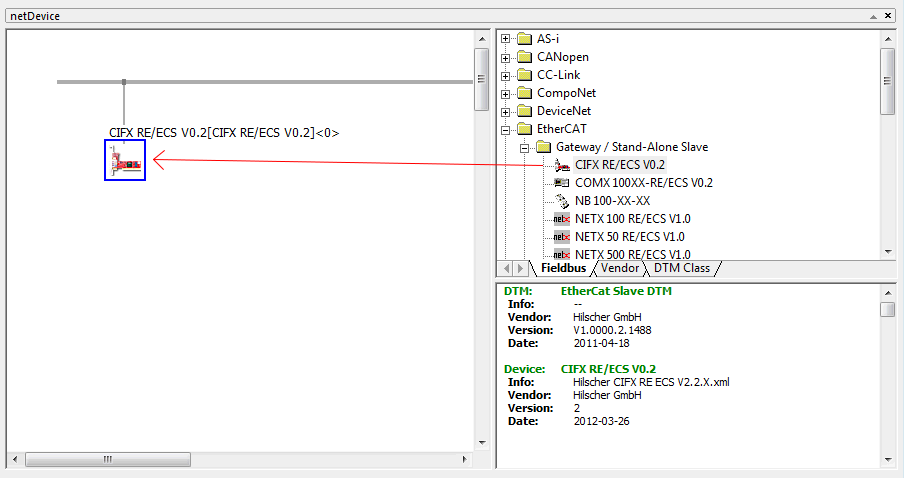
Double-click on the icon to open the Configuration window.
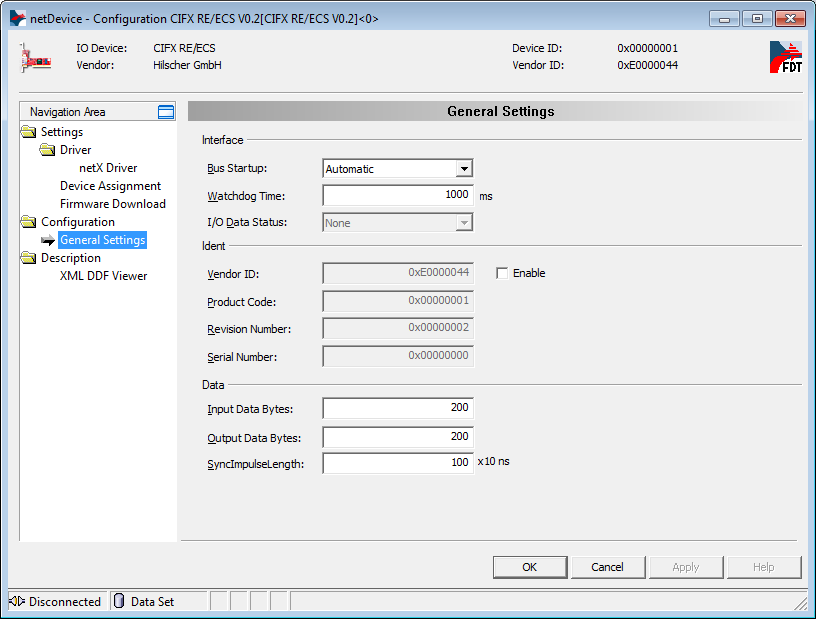
Navigate to Configuration, General Settings. These are the parameters that
you can use to setup the EtherCAT subordinate device.
| Note |
|---|
The Input Data Bytes are referenced to the Master RxPdo. In reality
they are the output data bytes of the subordinate device. By consequence
the output data bytes are the part of the TxPdo and are the input data
bytes of the subordinate device. |
Apply the configuration and close the windows. Right click on the Slave
icon and select Additional Functions, Export, DBM/nxd.
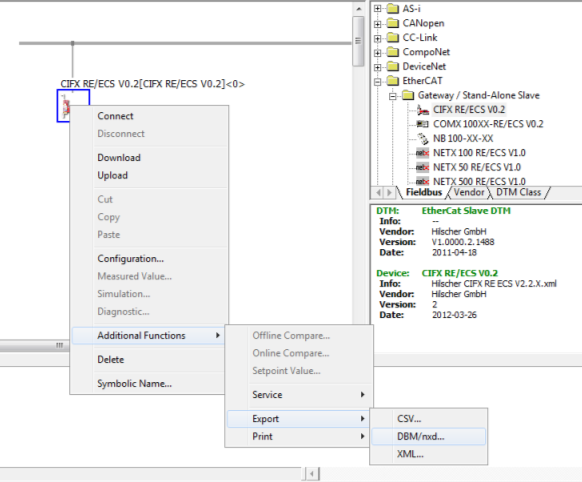
Select a name for the file, e.g.: my_slave.nxd. Save the file in your
current MATLAB workspace.
In MATLAB, locate the file and use the following script to load the
configuration to the target machine.
IO750                 = sg_IO75X_struct();    % Define default structure

IO750.protocol        = 'IO750';              % Protocol Speedgoat ID
IO750.cardid          = '1';                  % Card ID as defined in the model
IO750.configfiles     = '1';                  % Number of configuration files
IO750.configfile1     = 'my_slave.nxd';       % Name of configuration file

sg_IO75X_loadconfig(IO750);
Configure the driver blocks according to the configuration defined in
SYCON.net. In the Setup driver block select "Configuration mode:
Configuration file".
When you build the model, the firmware and configuration are loaded to the
IO750 EtherCAT subordinate device I/O module.
EtherCAT Configurator
You can use the Beckhoff EtherCAT Configurator or TwinCAT solution with the IO750
module. An EtherCAT Slave Information (ESI) XML file is provided for use with either
tool (default name: Hilscher CIFX RE ECS V2.2.X.xml).
Once the ESI file is installed in the Beckhoff repository, the configuration tool
will automatically recognize the IO750 device during network scan.
Before a scan can be performed the Simulink Real-Time application must be built
and loaded on to the target machine.
Front Plate Description
IO750 PCI and PCIe modules
The IO750 acts as one EtherCAT subordinate device exclusively. The two RJ45
connectors simply serve to build up a line-based network structure. Plug the
cable from the EtherCAT main device or the previous subordinate device into the
first socket. Connect the second socket with the next EtherCAT subordinate
device. The LEDs described below indicate the communication status of the single
EtherCAT subordinate device.
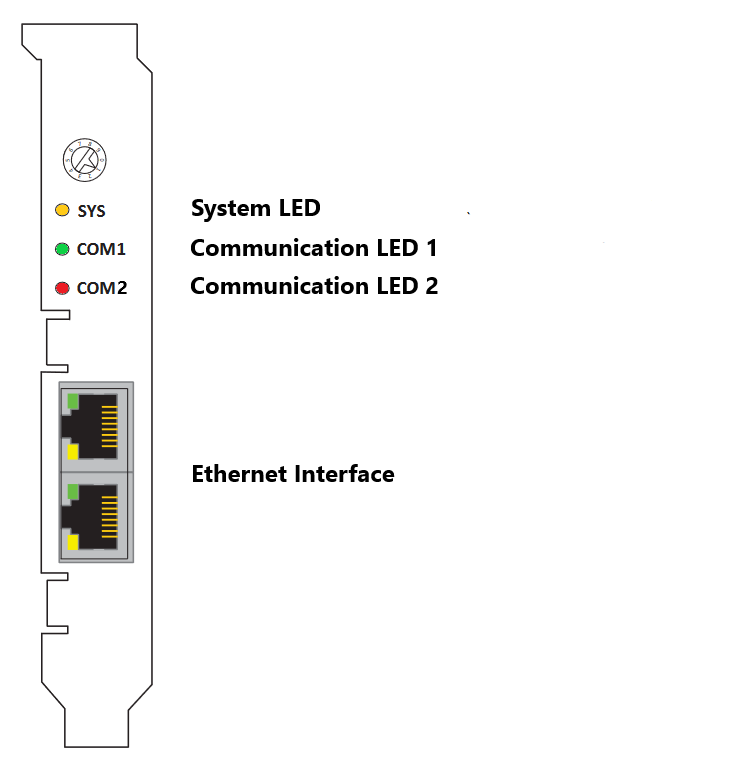
The rotary switch has no functional role.
IO750 mPCIe module
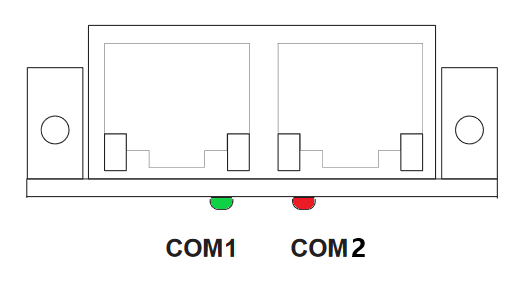
Note that in some real-time target machines,
the mPCIe module is reversed; that is, the Error LED appears on the right.
LED Status Description
Note that only the IO750 PCI and PCIe modules have the SYS LED. This LED does not
feature on the IO750 mPCIe module.