Documentation search search close
CONTENTS
https://www.speedgoat.com/help/slrt/page/icon_documentation.jpg
v10.0.1.x for R2026a
View other versions

IO644 Usage Notes

IO644 Usage Notes — Usage information about the I/O module

Description

This section describes how to configure the CANopen network.

EDS File

To set up CANopen communication, you must import the device description files of CANopen slaves (EDS file) into your CANopen Master configuration tool or PLC programming tool. Find the EDS file of the IO644 CANopen Slave module here:

>> [speedgoatroot, '\sg_blocks\cifx\eds\CIFX CO COS.eds'].

Front Plate Description

IO644 PCI and PCIe modules
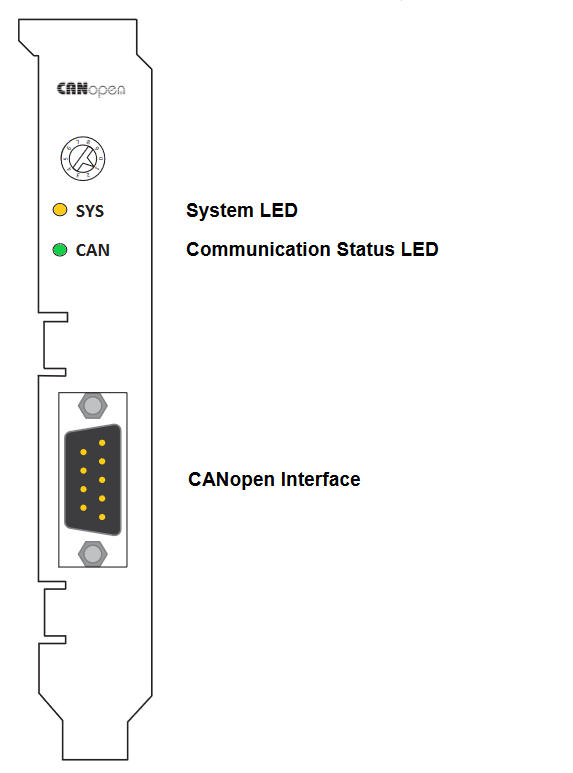
The rotary switch has no functional role.

IO644 mPCIe module
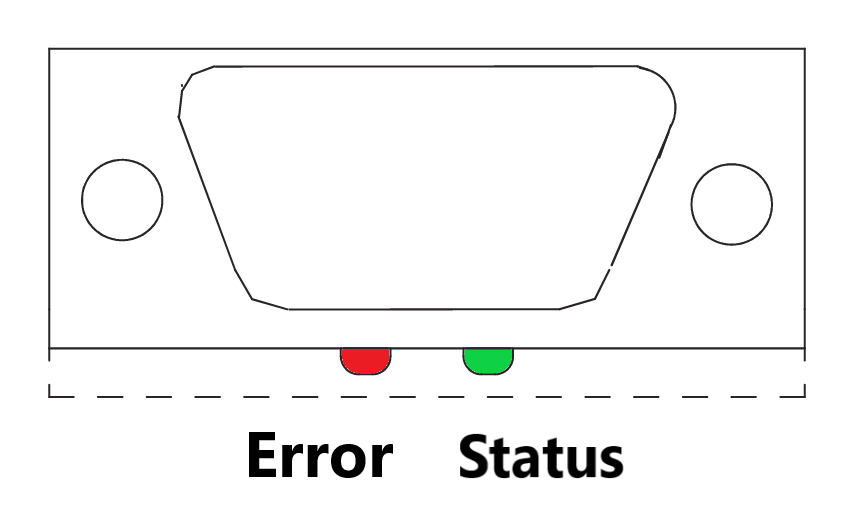
Note that in some real-time target machines, the mPCIe module is reversed; that is, the Error LED appears on the right.

LED Status Description

PCI and PCIe modules
LEDColorStateMeaning
SYSGreenOnOperating system running
 Green/YellowBlinkingSecond stage bootloader is waiting for firmware
 YellowOnBootloader netX (= romloader) is waiting for second stage bootloader
 OffOffPower supply for the device is missing or hardware defect
CANGreenOnThe device is in the OPERATIONAL state
 GreenBlinking (2,5 Hz)The device is in the PREOPERATIONAL state
 GreenSingle flash The device is in STOPPED state
 Red/GreenFlickering (10 Hz)The Device is in the auto baud rate detection mode
 RedSingle flash Warning limit reached: At least one of the error counters of the CAN controller has reached or exceeded the warning level (too many error frames)
 RedDouble flashError control event: A guard event (NMT slave or NMT master) or a heartbeat event (heartbeat consumer) has occurred
 RedOnThe CAN controller is in bus OFF state
 OffOffThe device is executing a reset or the device has no configuration
mPCIe module
LEDColorStateMeaning
STATUS/COM1GreenOnThe device is in the OPERATIONAL state
 GreenBlinking (2,5 Hz)The device is in the PREOPERATIONAL state
 GreenSingle flashThe device is in STOPPED state
 GreenFlickering (10 Hz, alternatively with ERROR LED)The Device is in the auto baud rate detection mode
 OffOffThe device is executing a reset or the device has no configuration. Refer to the ERROR LED
ERROR/COM2OffOffRefer to the STATUS LED
 RedFlickering (10 Hz, alternatively with STATUS LED)The Device is in the auto baud rate detection mode
 RedSingle flashWarning limit reached: At least one of the error counters of the CAN controller has reached or exceeded the warning level (too many error frames)
 RedDouble flashError control event: A guard event (NMT slave or NMT master) or a heartbeat event (heartbeat consumer) has occurred
 RedOn The CAN controller is in bus OFF state

Status Codes

For the list of status codes, please refer to Status Codes for Protocols Supported with the IO64x/IO75x Modules.