Documentation search search close
CONTENTS
https://www.speedgoat.com/help/slrt/page/icon_documentation.jpg
v10.0.1.x for R2026a
View other versions

IO641 Usage Notes

IO641 Usage Notes — Usage information about the I/O module

I/O Module configuration with SYCON.net

During initialization of the real-time application, the IO641 Setup block reads a configuration file from the hard drive of the target machine and configures the PROFIBUS DP protocol stack. Use the SYCON.net configuration tool to create such a file.

[Tip]Tip

Download the SYCON.net configuration tool from the Speedgoat Customer Portal. Login to your Speedgoat account. In the Downloads section, navigate to Software and click SYCON.net (v1.500 Build 231214).

In addition to this short introduction, please read the SYCON.net help documentation for detailed information about how to set up a PROFIBUS DP network and export the module configuration file.

  1. Once all the slaves are configured, right-click on the master icon and select Additional Functions, Export, DBM/nxd
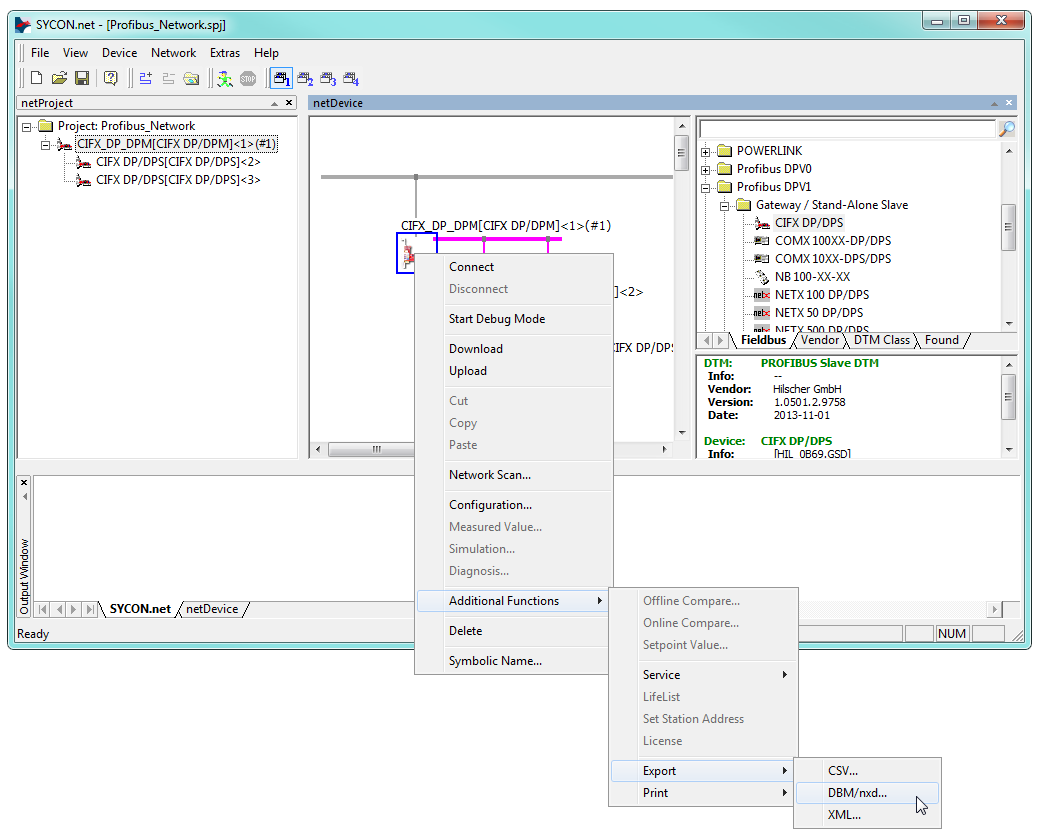
  2. Select a name for the file, e.g.: my_master.nxd. Save the file in your current MATLAB workspace or at any location of your choice.

  3. Enter the path to the file in the Configuration File parameter of the Setup block. Specify the input and output port lengths in the Send and Receive blocks according to the configuration defined in SYCON.net.

[Tip]Tip

You can autogenerate the entire data assembly and extraction part for your model including Send, Receive, Packing and Unpacking blocks with the help of the createFromSycon function.

Front Plate Description

IO641 PCI and PCIe modules
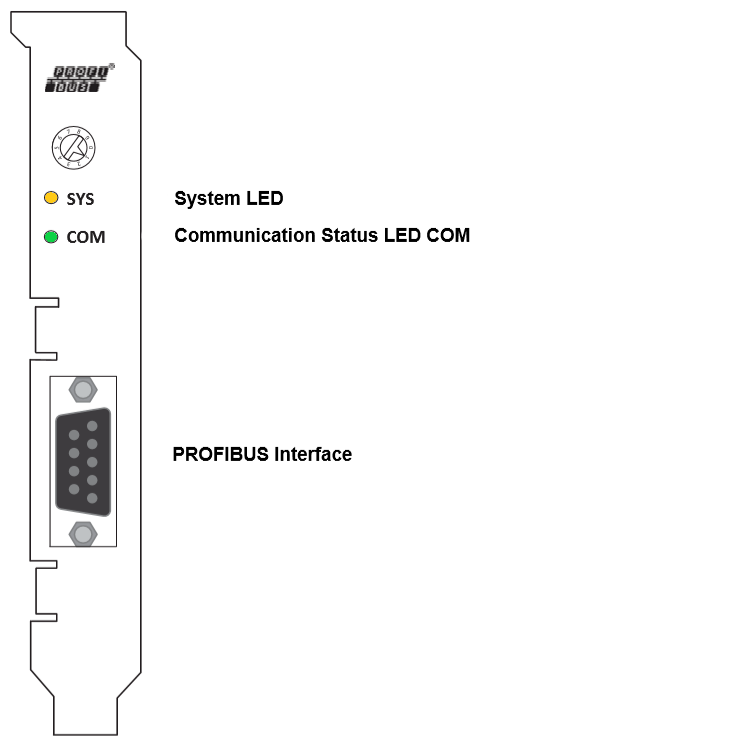
The rotary switch has no functional role.

IO641 mPCIe module
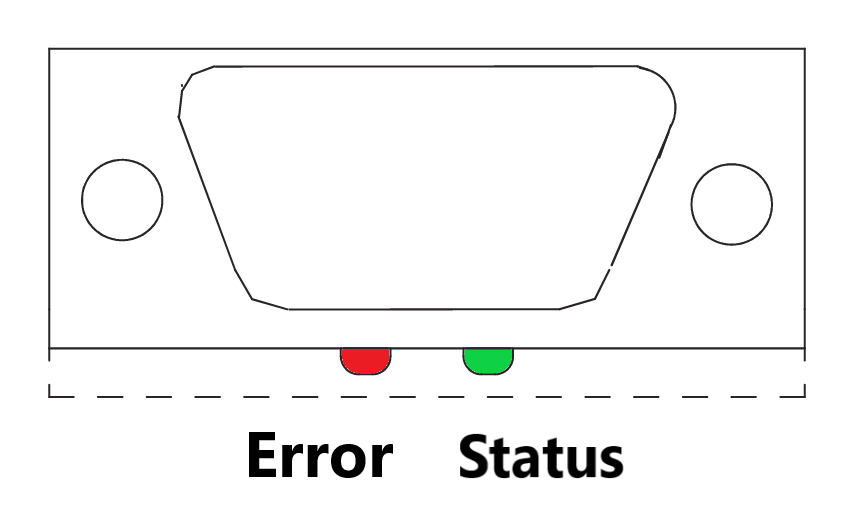
Note that in some real-time target machines, the mPCIe module is reversed; that is, the Error LED appears on the right.

LED Status Description

PCI and PCIe modules
LEDColorStateMeaning
SYSGreenOnOperating system running
 Green/YellowBlinkingSecond stage bootloader is waiting for firmware
 YellowOnBootloader netX (= romloader) is waiting for second stage bootloader
 OffOffPower supply for the device is missing or hardware defect
COMGreenOnCommunication to all Slaves is established
 GreenFlashing (5 Hz)PROFIBUS is configured, but bus communication is not yet released from the application
 GreenFlashing acyclicNo configuration or faulty configuration
 RedFlashing (5 Hz)Communication to at least one Slave is disconnected
 RedOnCommunication to all Slaves is disconnected or another serious error has occurred. Redundant Mode: The active Master was not found
 OffOffDevice is not switched on or network power is missing
mPCIe module
LEDColorStateMeaning
STATUS/COM1GreenOnCommunication to all Slaves is established
 GreenFlashing (5 Hz)PROFIBUS is configured, but bus communication is not yet released from the application
 GreenFlashing acyclicNo configuration or faulty configuration
 OffOff

LED ERROR is off: Device is not switched on or network power is missing

LED ERROR is flashing or “on”: Refer to description LED ERROR

ERROR/COM2OffOffRefer to description for LED STATUS
 RedFlashing (5 Hz)Communication to at least one Slave is disconnected
 RedOn Communication to all Slaves is disconnected or another serious error has occurred. Redundant Mode: The active Master was not found

Status Codes

For the list of status codes, please refer to Status Codes for Protocols Supported with the IO64x/IO75x Modules.